If you live, work or do business in the UAE, keeping an eye on your visa status isn’t optional any more – it’s critical. In the first half of 2025 alone, UAE authorities flagged over 32,000 visa violators, with fines, bans and deportations for those who overstayed or breached conditions.
The good news? You can check your UAE visa status and validity online in a few minutes, using only official government portals and apps. No agents, no guesswork, no risk.
This guide from First Elite Global walks you step-by-step through how to check UAE visa status online in 2025 using:
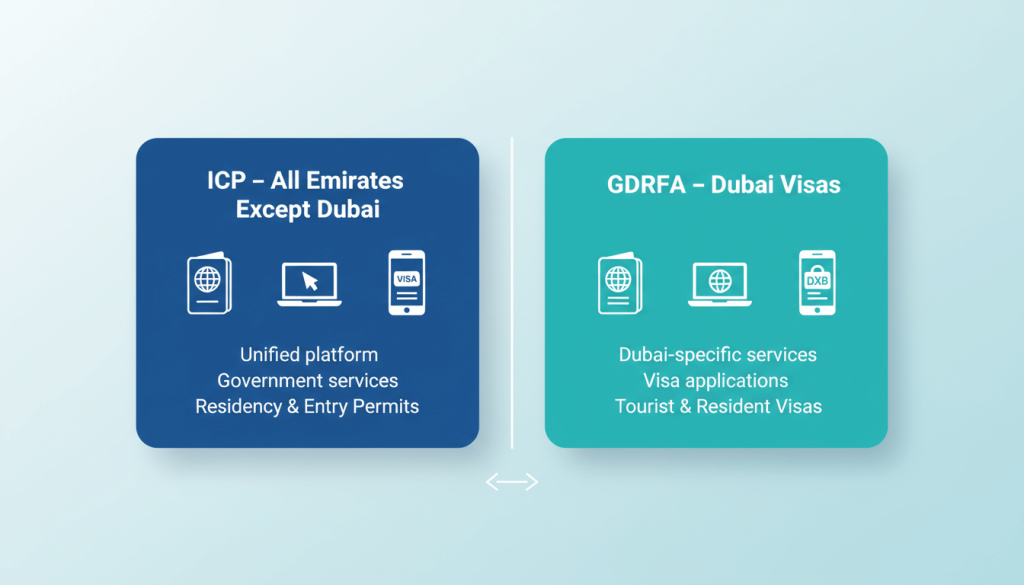
- ICP Smart Services (for all emirates except Dubai)
- GDRFA Dubai (for visas issued in Dubai)
- Official UAE government apps (UAEICP, GDRFA, DubaiNow, UAE Pass)
You’ll also learn how to:
- Check UAE visa status using your passport number
- Confirm residence visa validity with Emirates ID
- Track UAE visa application progress
- Understand what to do if your visa shows as cancelled, expired or invalid
- Avoid fake “quick visa services” and scam websites
Throughout, you’ll see where First Elite Global can step in to help if something doesn’t look right.
Quick answer: how to check UAE visa status online
If you only need a fast overview, here’s the short version:
- For visas issued in Abu Dhabi, Sharjah, Ajman, Umm Al Quwain, Ras Al Khaimah, Fujairah
Use ICP Smart Services → “File Validity” → “Visa” and search by passport information or visa file number. - For visas issued in Dubai
Use GDRFA Dubai → “Visa Status” (Status Inquiry) or “Application Status Tracker” to check your Dubai residence or visit visa. - For mobile access
Use the UAEICP app, GDRFA DXB app or DubaiNow app to see your visa and residency records when logged in with UAE Pass or your registered account. - For airline-arranged e-visas
Check via your airline’s official portal (for example, Emirates’ UAE visa information pages and visa hub).
If any result looks confusing, request a free visa status review with First Elite Global and one of our consultants will explain what it means and what to do next.
Visa status vs visa validity: what’s the difference?
Before you start searching “how can I check my visa status in UAE” or “how to check visa validity in UAE”, it helps to understand two key terms:
- Visa status – shows whether your visa or application is:
- In process
- Issued / active
- Expired
- Cancelled
- Rejected
- Visa validity – focuses on the dates and permissions:
- Visa issue date
- Visa expiry date
- Number of days you can stay
- Grace period after expiry or cancellation (if applicable)
When you check UAE visa status online, aim to confirm both:
- Is my visa still active and valid?
- Am I inside my allowed stay and grace period?
That’s what keeps you compliant – and out of the statistics for visa violations.
What you need before you check UAE visa status
To make the online process smooth, keep the following ready:
- Passport details
- Passport number
- Nationality
- Passport expiry date
- Visa file number / residence file number
- Found on your e-visa, visa sticker or Emirates ID application
- Unified Number (UID)
- A unique number assigned to you in UAE immigration systems; you can retrieve it via GDRFA’s “Unified Number Inquiry Service.”
- Emirates ID number (for residents)
- Useful for linking visa and Emirates ID status through ICP and u.ae services
You don’t always need all of these – for many methods, passport number + nationality is enough – but having them to hand prevents errors.
Official ways to check UAE visa status and validity in 2025
You should only use official UAE government platforms or authorised providers to check your visa. Authorities have explicitly warned against fake websites and social media ads offering “quick” visa services at inflated fees.
Here are the trusted channels for 2025:
- ICP Smart Services (icp.gov.ae / smartservices.icp.gov.ae) – for visas issued in all emirates except Dubai.
- GDRFA Dubai (gdrfad.gov.ae + smart.gdrfad.gov.ae) – for visas issued in Dubai.
- u.ae – The Official UAE Government Portal – central information hub that links to official visa application and validity tools.
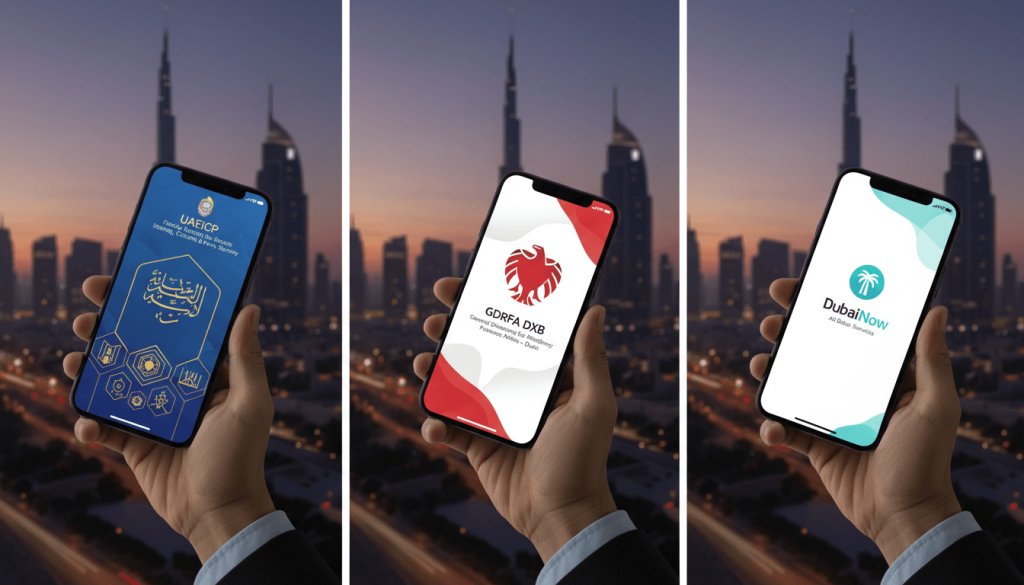
- Mobile apps
- UAEICP (for ICP visa and residency services)
- GDRFA DXB (for Dubai immigration services)
- DubaiNow (consolidated Dubai government services app, including residency)
- UAE Pass (digital ID that often surfaces your residence visa)
- Airline portals (for some tourist and transit visas – e.g. Emirates Visa Hub).
If a website isn’t on this list and doesn’t end in .gov.ae or .u.ae, treat it with caution.
How to check UAE visa status online via ICP (all emirates except Dubai)
If your visa was issued in Abu Dhabi, Sharjah, Ajman, Ras Al Khaimah, Umm Al Quwain or Fujairah, you’ll normally use ICP Smart Services.
This is the best method if you’re searching phrases like “how to check UAE visa status online with passport number” or “how to check e visa status UAE”.
Step-by-step: how to check UAE visa status using passport number (ICP)
- Go to the ICP Smart Services portal
- Visit the official ICP Smart Services site (linked from the UAE government’s visa validity page).
- Choose the visa validity / file validity service
- Look for “File Validity” or “Visa / Residence Validity” under public visa services. These options allow non-logged-in users to check status.
- Select how you want to search
- Usually you’ll see options such as:
- Passport Information
- Visa File Number
- Emirates ID
- Usually you’ll see options such as:
- Enter your details
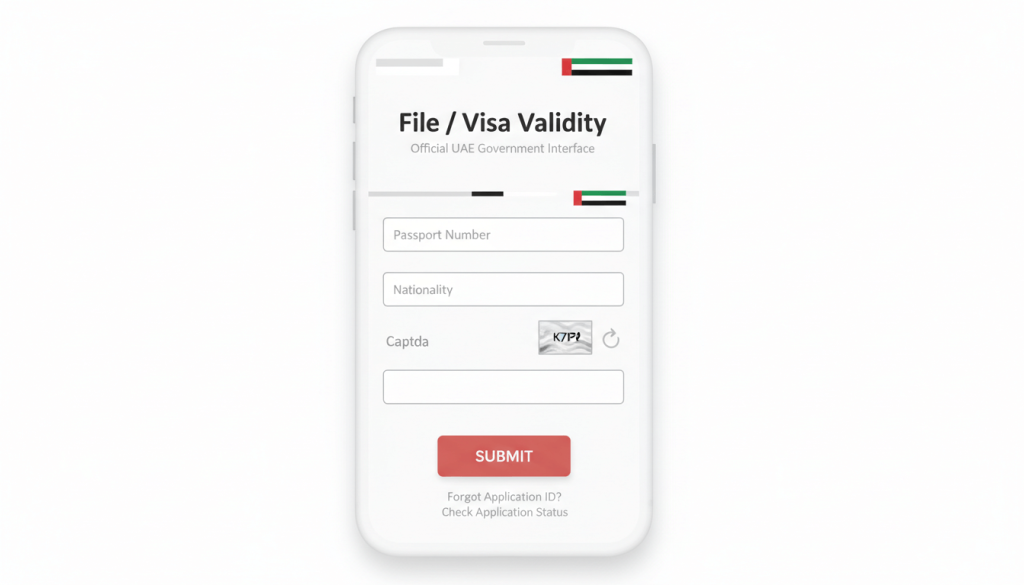
- If you choose Passport Information, you’ll typically need to provide:
- Passport number
- Passport expiry date
- Nationality (as per the passport)
- If you choose Passport Information, you’ll typically need to provide:
- Complete the security check
- Fill in the captcha and submit your request.
- Review your UAE visa status and validity
- The portal will show details such as:
- Visa type (visit, tourist, residence, etc.)
- Issuing emirate
- Issue and expiry date
- Visa number / file number
- Current status (valid, expired, cancelled)
- The portal will show details such as:
If you see “no records found” or similar, double-check your passport number and nationality, and try again. If the result is still unclear, First Elite Global can help you interpret it and confirm any next steps.
How to check Dubai visa status and validity via GDRFA
If your visa was issued in Dubai, you should use GDRFA Dubai systems rather than ICP.
Checking Dubai visa status online (GDRFA website)
- Go to the official GDRFA Dubai website
- Visit gdrfad.gov.ae and navigate to the “Visa Status” service, which links to the online status enquiry page.
- Open the status enquiry page
- You’ll be redirected to the smart services status inquiry URL (StatusInquiry_New.aspx).
- Choose your enquiry type
Depending on the form version, you may be able to search by:- Residence file number and expiry year
- Passport information (passport number, nationality, date of birth)
- Enter your details accurately
- Make sure the nationality and passport number match your visa exactly.
- Submit and view the result
- You will normally see:
- Visa type
- Visa number
- Issue date and expiry date
- Current status (valid / expired / cancelled)
- Sometimes sponsor details and remaining validity
- You will normally see:
This is the standard answer to “how to check Dubai visa status using GDRFA” and is suitable for both residence and visit visas.
How to track UAE visa application status
If your visa is still “in process”, you won’t see it as an active entry permit or residence yet. In that case, you should track the visa application status, not just the final visa.
Tracking via ICP and u.ae
- The UAE government’s official portal has a dedicated section to “track visa application and validity”, linking to ICP’s e-channels for checking the progress of applications filed through ICP.
- You’ll usually need an application number, transaction number or reference number from your receipt or email confirmation.
Tracking via GDRFA Dubai
For Dubai-issued visas, you can use:
- GDRFA “Application Status Tracker” – lets you check by email, Emirates ID or other details used in the application.
- Some guides also refer to “File Status Inquiry” on the GDRFA smart portal, which works with residence file numbers or passport information.
If your application appears stuck or shows unusual messages, a structured review with a visa specialist is worthwhile. First Elite Global can look at the full picture (sponsor, role, free zone, mainland, timelines) and advise if escalation is needed.
How to check UAE residence visa status with Emirates ID
Many residents search specifically for “how to check UAE residence visa status in UAE” or “how to know my visa status in UAE with Emirates ID”.
Key points:
- Emirates ID and residence visa are linked in UAE systems.
- The ICPC / Emirates ID services allow you to track Emirates ID card status online using your PRAN or Emirates ID number.
- The u.ae portal explains how Emirates ID and residency tie together under the “Visa and Emirates ID” section.
However, for actual visa validity, it is still safer to confirm via:
- ICP visa validity tools (for non-Dubai visas), or
- GDRFA visa status inquiry (for Dubai), using your passport or file details.
Think of Emirates ID as your day-to-day ID, and ICP/GDRFA as the source of truth for immigration status.
How to check visit, tourist and e-visa status in the UAE
If you entered the UAE on a visit visa, tourist visa or airline-arranged e-visa, you can still check your status online.
- ICP or GDRFA (depending on issuing emirate)
- If the visa was issued outside Dubai → ICP File Validity / Visa Validity.
- If issued in Dubai → GDRFA Visa Status.
- Airline portals (e.g. Emirates)
- Emirates provides detailed UAE visa information and works with visa partners; the same hub can be used to verify certain pre-arranged visas using your booking reference and passport details.
- Email confirmation and PDF e-visa
- Ensure the visa you received by email matches the data shown on official portals:
- Name spelling
- Passport number
- Nationality
- Validity dates
- Ensure the visa you received by email matches the data shown on official portals:
If anything doesn’t match, contact the issuing airline, travel agent or your sponsor immediately – and if you need a neutral third-party view, First Elite Global can review your documents as part of a visa status consultation.
Checking UAE visa status via mobile apps
For many people, the fastest way to check UAE visa status online is now via mobile apps.
UAEICP app
The UAEICP app brings most ICP visa and residency services into one place, including visas, residencies, fines and passport services for UAE nationals.
Typical flow:
- Install UAEICP from the official app store.
- Log in or sign up (often using UAE Pass).
- Navigate to your visa / residency section.
- View active visas, validity dates and related services.
GDRFA DXB app
The GDRFA DXB app provides access to Dubai immigration services, including applying for and managing visas for family members.
Depending on your profile and role (sponsor, employer, etc.), you can:
- View Dubai residence visas for family members.
- See renewal options and related services.
DubaiNow & UAE Pass
- DubaiNow consolidates over 280 Dubai government services, including residency-related functions.
- The UAE Pass app can surface your residence visa under the “Documents” section once your accounts are linked.
These apps are ideal if you often ask yourself “how to check my visa status in UAE on my phone” and want a one-tap answer.
Common issues when checking UAE visa status – and what they mean
When people search “how to check UAE visa” or “how to confirm UAE visa online”, it’s often because something went wrong or seems confusing.
Here are some common scenarios:
1. “No records found” or blank result
Possible reasons:
- Typo in passport number or nationality
- Trying the wrong portal (e.g. using ICP for a Dubai visa)
- Visa expired long ago and no longer appears in simple look-ups
Try:
- Checking whether your visa was issued in Dubai or another emirate
- Switching between passport information and file number where possible
2. Status shows “Cancelled” or “Expired”
If your status shows as cancelled or expired, do not ignore it. Grace periods and overstay penalties are actively enforced, and recent figures show thousands of violators being identified each year.
You should immediately:
- Confirm your grace period (if any)
- Decide whether to exit the country, change status or apply for an extension (where available)
- Get professional guidance if your situation is complex (family, company, Golden Visa plans, etc.)
3. Details don’t match your passport
If the visa result shows:
- Incorrect spelling of your name
- Wrong passport number or nationality
you should raise this urgently with your sponsor, PRO, free zone authority or airline – and get written confirmation of any corrections.
First Elite Global can coordinate with relevant authorities as part of a structured visa correction and status review, especially where errors affect upcoming travel or visa renewals.
How to check visa process in UAE if you’re still planning to move or set up a business
If you’re still at the planning stage – for example, you’re starting a new company or moving to the UAE for a role – you’ll want to:
- Understand which visa route is appropriate (employment, investor, partner, Golden Visa, freelancer, family sponsorship, etc.)
- Confirm processing times, typical documentation and the sequence (company licence → establishment card → entry permit → status change → Emirates ID, etc.)
While online tools show status and validity, they don’t give you strategy.
This is where First Elite Global adds value:
- Reviewing your business setup or employment plan
- Advising on the right visa structure (mainland vs free zone, investor vs employment visa, etc.)
- Giving you a clear roadmap so you’re not checking visa status in panic at the last minute
How First Elite Global helps if your UAE visa status is unclear or risky
Online tools answer “how to check UAE visa status online” – but they don’t:
- Explain how your visa status affects future residency, banking or business setup
- Help you choose between visa cancellation, status change or extension
- Protect you from costly mistakes when you’re restructuring your business or relocating your family
First Elite Global supports you with:
- Free initial visa status review – we look at your ICP / GDRFA results, Emirates ID and plans.
- End-to-end visa and status support – from entry permits to residence renewals and status adjustments.
- Business setup + visa integration – ensuring your company structure and visas are aligned from day one.
If your visa is close to expiry, cancelled, or you’re simply unsure what a result means, request a free consultation with First Elite Global and get a clear, written action plan.

Quick reference: methods to check UAE visa status and validity
Use this as a mini cheat-sheet:
- How to check UAE visa status online (non-Dubai visas)
→ ICP Smart Services → “File Validity / Visa” → search by passport number and nationality. - How to check UAE residence visa status with passport number
→ ICP (non-Dubai) or GDRFA (Dubai) → choose “passport information” search where available. - How to check Dubai visa status
→ GDRFA Dubai → “Visa Status” / “File Status Inquiry” or “Application Status Tracker”. - How to check visit visa status in UAE
→ Same as above, depending on issuing emirate; use your passport or visa file details. - How to check visa application status UAE
→ Use application / transaction number via ICP or GDRFA status trackers linked from u.ae.
If you’d like help interpreting the results or planning next steps, contact First Elite Global and speak to a consultant who handles UAE visa cases every day.
FAQs: how to check UAE visa status online in 2025
1. How can I check my visa status in UAE with my passport number?
You can check your UAE visa status using your passport number via:
- ICP Smart Services – for visas issued outside Dubai (use the File/ Visa Validity service and select “Passport Information”).
- GDRFA Dubai – for Dubai-issued visas, via the Visa Status or File Status Inquiry service where passport-based search is available.
Enter your passport number, nationality and other requested details to see your visa status and validity.
2. How do I check UAE visa status online with Emirates ID?
Your Emirates ID is linked to your residence visa. You can:
- Check Emirates ID card status through ICP’s ID Card Status page using your application or Emirates ID number.
- Confirm visa validity via ICP or GDRFA portals using passport / file details for the most accurate immigration record.
3. How do I track my UAE visa application status?
To track UAE visa application status online:
- Use the relevant ICP e-channels or links from the official u.ae “Track visa application and validity” page for non-Dubai visas.
- Use the GDRFA “Application Status Tracker” or File Status Inquiry for Dubai-issued applications, with your application or transaction number.
4. Can I check UAE visa status on my phone?
Yes. You can use:
- UAEICP app for ICP visas and residencies
- GDRFA DXB app for Dubai immigration services
- DubaiNow app (for Dubai residents)
- UAE Pass to view your digital residence visa under “Documents”
These apps are especially useful if you need to check UAE visa status and validity frequently.
5. What should I do if my UAE visa is expired or cancelled?
If your online check shows that your UAE visa is expired or cancelled:
- Confirm whether you have a grace period and how many days remain.
- Decide quickly whether you will exit the UAE, change status, or apply for a new visa (if eligible).
- Keep records of your checks and any messages from your sponsor or free zone.
Because 2025 enforcement is strict and thousands of violators are identified each year, it’s wise to get professional advice if you’re unsure.
First Elite Global can review your situation and give a clear plan before penalties escalate.
6. How can I be sure I’m not using a fake visa website?
To avoid fake websites and social media ads offering “quick visa services”:
- Use only sites ending in .gov.ae or .u.ae, and official app store listings.
- Be wary of anyone asking for payments via personal bank accounts or messaging apps.
- Check recent UAE government warnings about fake quick visa services and scams, which stress that only official channels are authorised.
If in doubt, speak to a reputable provider like First Elite Global and confirm how your application is being submitted.